Here is a clip of our new Burst Mode, no edit made, this is plain Game Footage, this is how it plays.
Sunday, August 22, 2010
Pinball Ride 1.2 is available on the App Store
This update is the largest update we've done so far, we hope you like it. Please leave us your comments.

Friday, August 6, 2010
Pinball Ride 1.2 Universal App
Pinball Ride Update 1.2 has been submitted in the App Store as a Universal App.
The update has been submitted very recently and here are the screens captures for the App Store.


The update has been submitted very recently and here are the screens captures for the App Store.


Friday, July 16, 2010
User Interface Improvements
Thanks to your feedback Pinball Ride 1.2 is full of usability improvements. Here is a preview. This is all work in progress.
Options are important and they are now easier to access than before. The Pause Menu is now clearly visible on the top left of the screen.

Switch Camera Mode from Top View to Flippers View for more sensations. The default view is now Top View, in previous versions Flippers View was the default.
Options are important and they are now easier to access than before. The Pause Menu is now clearly visible on the top left of the screen.

Switch Camera Mode from Top View to Flippers View for more sensations. The default view is now Top View, in previous versions Flippers View was the default.
Set Story Screens to Miniature to disable slow motion events and will display small pictures at the top of the screen instead.


As you see, your feedback is important to us, and we need it to make a better game.

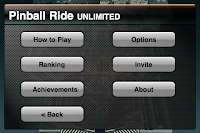
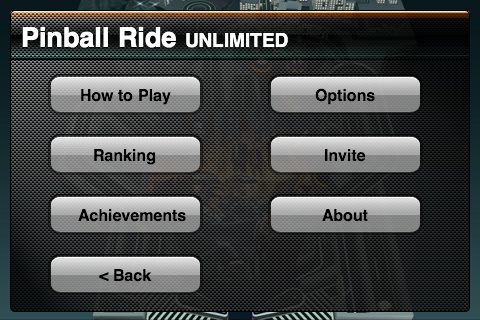
The main menu has also been reworked. It is larger, easier to read and much easier to navigate.
The first page gives you access to the Story and Burst modes at any time.
On the second page you'll have access to all other pages.
How to play section contains game instructions for beginner.
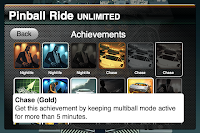
Achievements page is now much more exciting and gives more detailed information of how to unlock it.


As you see, your feedback is important to us, and we need it to make a better game.
Don't hesite to ask more questions to support@massivefinger.com
The Pinball Ride Team
Monday, June 21, 2010
Pinball Ride on iPad
Here is the first picture of Pinball Ride working on the iPad.
The game will also support portrait orientation.
We are working on high resolution textures that will be used when running on the device.
Have fun
The game will also support portrait orientation.
 |
| Pinball Ride 1.2 running on iPad at native resolution. (Work In Progress) |
Have fun
Monday, May 17, 2010
Status on Pinball Ride Updates
iPad international launch is getting close, we're working on a native iPad support as an Universal App. You won't have to buy a different "HD" App, Pinball Ride and Pinball Ride Unlimited will simply work on all of your devices in native screen resolutions.
Version 1.1 had a compatibility issue with iPhone OS 3.2 (iPad). So we're releasing a 1.1.1 update to fix this issue. Native iPad support will come in update 1.2.
Pinball Ride 1.2 update is coming along very well and it features a lot of improvements in addition to the native iPad support. We really focused this next update on game modes with a completely redesigned Burst Mode and a greatly enhanced Story Mode.
All this novelty definitely requires testing and balancing and we're taking the time it needs to make a solid update.
More news about this update soon.
The Pinball Ride Team,
Thursday, April 15, 2010
Pinball Ride User Guide
We've integrated a User Guide in the existing version in the menu About > Rule Sheet.
It explains the basic principles of the table, so you can discover advanced modes by yourself.
 Lighting up the 4 lights at the top of the table increases your bonus multiplier. The higher your bonus multiplier, the higher your End-of-Ball Bonus, up to 10x.


 The Parking Garage is located below the right ramp. Once inside, the ball is held for a second, then given back. The Parking Garage randomly gives rewards or triggers challenges: Multi-Ball, Airbag deployment, Friendly Duel, etc.
It explains the basic principles of the table, so you can discover advanced modes by yourself.
Bonus multiplier
Airbags (Exit Blockers)
Exits can be blocked in 3 locations: left, center and right.
Hitting the 3 targets on the left activates the left airbag.
Hitting the 3 targets on the front right activates the right airbag.
Sending your ball into the bridge ramp (middle right) with maximum Backseat Points activates both the left and right airbags.
Entering the Parking Garage may activate the front airbag, or even all 3 airbags.
Story Challenges
Hitting the ball into the blinking ramps and completing challenges advances the story. As you progress, new modes will open. All possible modes will be unlocked by the end of the story.
Nudging
Shaking the device allows you to nudge the table. The table cannot Tilt (you will not be penalized), but too much shaking interferes with precise shooting.
Contacts
Hitting the bumpers causes you to increase your Business Contacts. When no challenge is active, taking the ramp on the right gives you points in proportion to your contacts.
Parking (Lock)
Backseat Points
Hitting the ball into the bridge ramp (middle right) increases Backseat Points. When maximum Backseat Points (3) is reached, the side blockers are activated.
Even More
Playing through Pinball Ride's story opens other exciting challenges, jackpots and rewards.
Wednesday, April 14, 2010
Next Pinball Ride Updates
Hello everyone and thank you for playing and supporting Pinball Ride. The 1.1 Update has been a success, and we're not going to stop there.

Don't hesitate to contact us and give us feedback.
We are working on the following topics right now :
We are still evaluating the work that has to be done, a time frame will be announced later.
Have fun,
The Pinball Ride Team,

Don't hesitate to contact us and give us feedback.
We are working on the following topics right now :
- iPad Support
- Increased Challenges Difficulty
- Improved Free Version and Burst Mode Design
- Several Usability Improvements
We are still evaluating the work that has to be done, a time frame will be announced later.
Have fun,
The Pinball Ride Team,
Subscribe to:
Posts (Atom)